


Counter-Strike 1.6
Host Counter-Strike 1.6 servers with TCAdmin on Linux and Windows.
About Counter-Strike 1.6
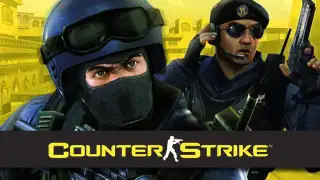
Play the world's number 1 online action game. Engage in an incredibly realistic brand of terrorist warfare in this wildly popular team-based game. Ally with teammates to complete strategic missions. Take out enemy sites. Rescue hostages. Your role affects your team's success. Your team's success affects your role.
View on SteamWhat TCAdmin handles for Counter-Strike 1.6
Automatic Steam updates
Server files install and update through SteamCMD, on demand or on a schedule (app 90).
One-click mod installer
3 ready-made mod and plugin packages ship with the config.
Live player counts
The panel queries the server for players, map and status, shown on the dashboard and service page.
Web console with RCON
Send commands from the browser and schedule them, without opening a game client.
Stuck-server detection
Query monitoring checks the server keeps answering and acts when it stops.
Game-aware backups
Backups include the files that matter for this game, such as worlds and configs, and restore in one click.
Set it up in the panel
- Open the plugin repository. In TCAdmin 3, go to Settings, then Plugin Repositories.
- Install the Counter-Strike 1.6 config. Search for Counter-Strike 1.6, open it and click Install.
- Create a service. Pick a server and a customer, and TCAdmin downloads the files, sets the ports and starts it.
Config notes
Half Life - Counter-Strike 1.6













Run your first server on TCAdmin 3 today.
Every license starts with 30 days free, on Windows or Linux.